
Connect Your AI Agent
Saved in this browser.
People Work works best for most people when paired with an AI agent:
Choose an AI agent to continue
We’ll show the connection instructions that match your choice.
People Work works with your ChatGPT Desktop app through a plugin. You install the plugin from our People Work Marketplace, and then People Work will be available in your conversations. Here are the steps:
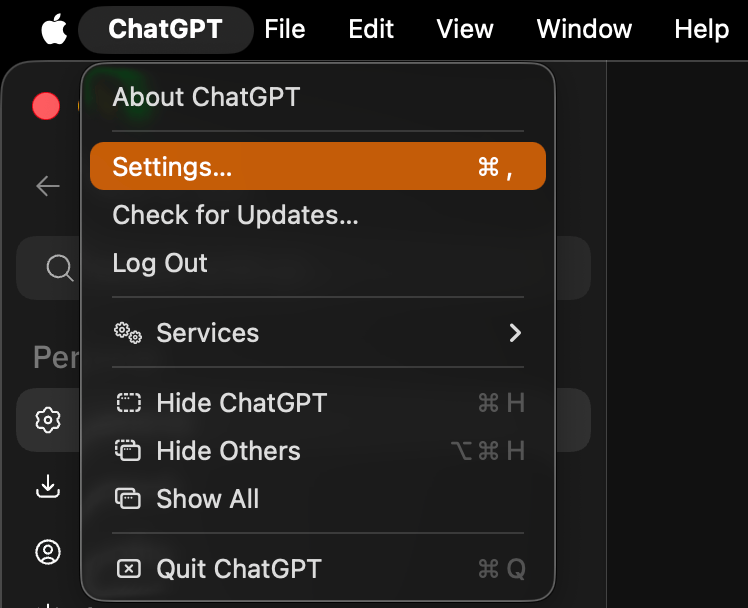
1. Open ChatGPT settings
Open the ChatGPT desktop app. From the ChatGPT menu, choose Settings.
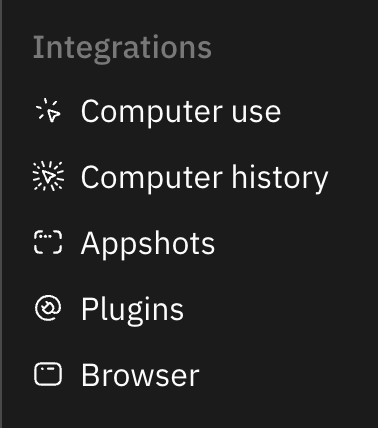
2. Open Plugins
In Settings, choose Plugins under Integrations.
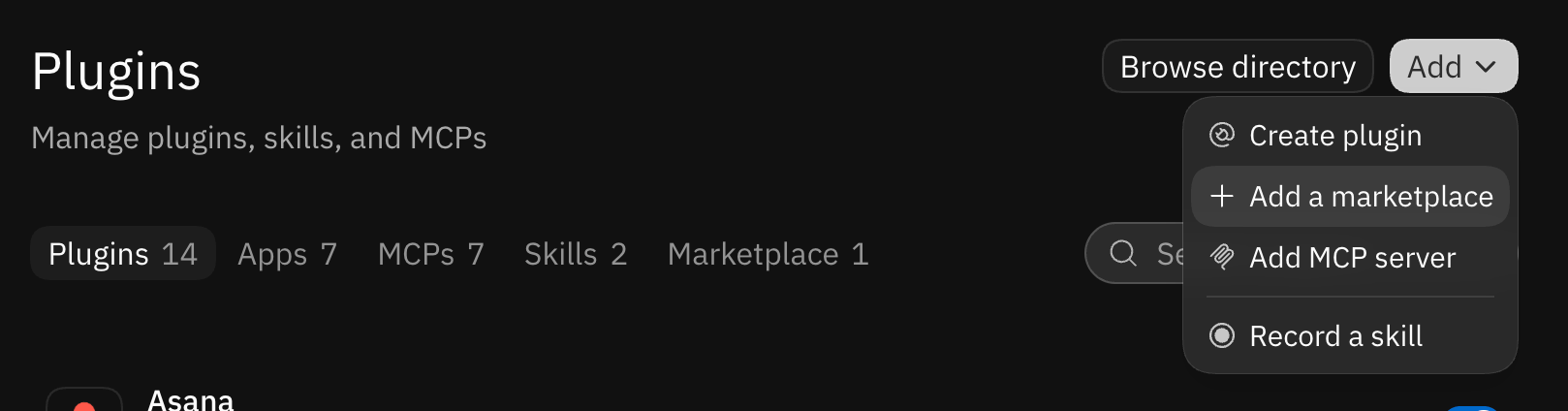
3. Add the People Work Marketplace
Select Add in the top-right corner, then choose Add a marketplace.
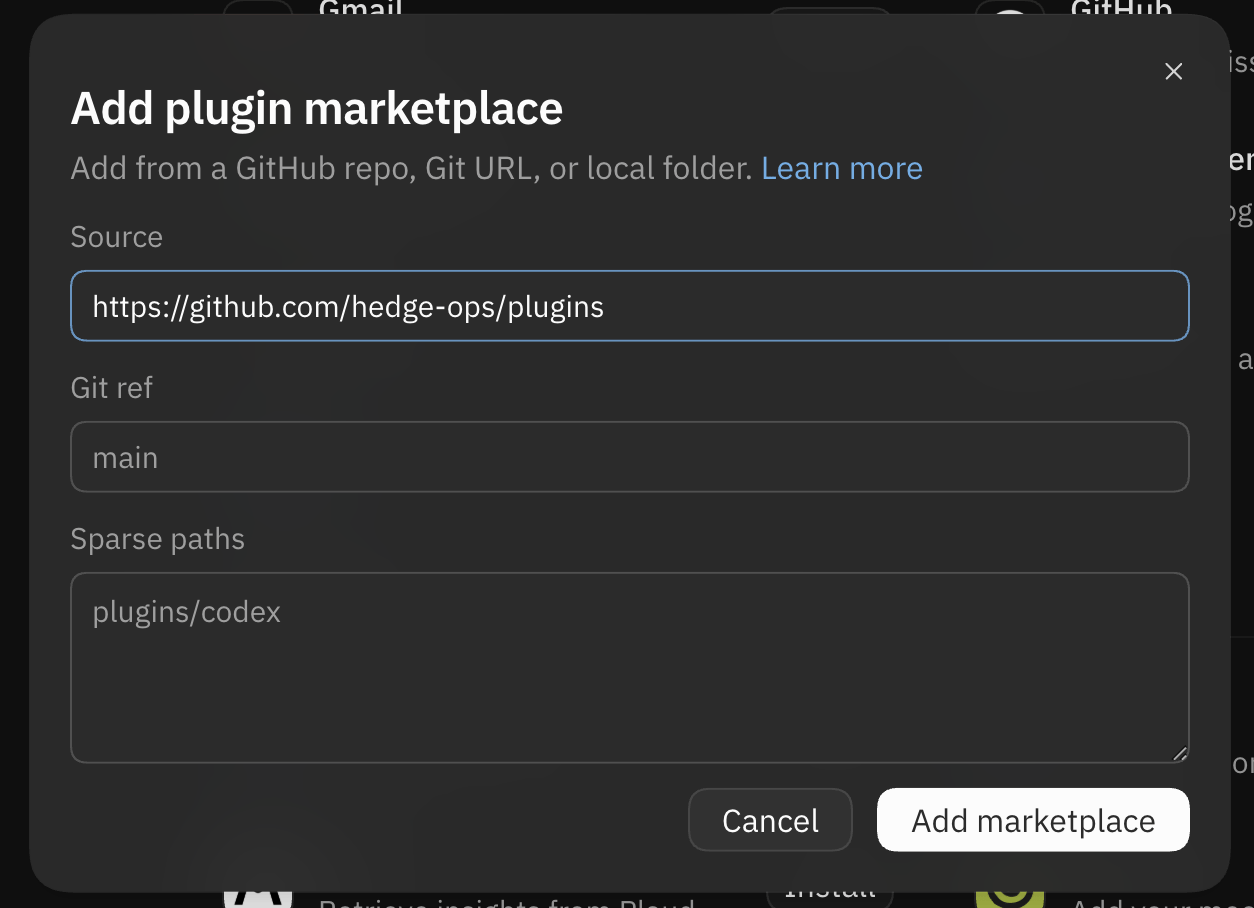
Enter https://github.com/hedge-ops/plugins as the Source. Leave the other
fields at their defaults. Then select Add marketplace.
4. Install People Work
Open the People Work Marketplace and select Install next to People Work.
5. Make sure it works
Start a new conversation in ChatGPT or Codex and select the People Work plugin. Ask it: “Let’s get started with People Work.”

Once People Work responds, your agent is connected and ready to go.
Add the marketplace and install People Work:
codex plugin marketplace add hedge-ops/plugins --ref main
codex plugin add people-work@hedge-ops
People Work works with Claude Desktop through Claude Code. Here are the steps:
Before you begin, make sure no folder is selected in Claude Code. The conversation should show No folder at the top.
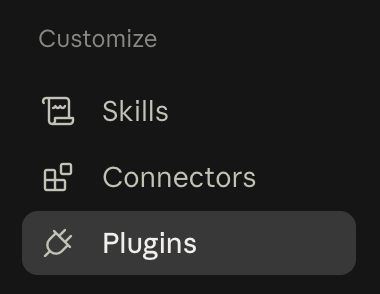
1. Open plugin settings
Open Claude Desktop and select the Code tab. Open Settings, then under Customize select Plugins.
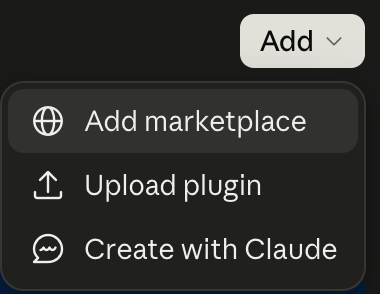
2. Add the People Work Marketplace
Select Add in the top-right corner, then choose Add marketplace.
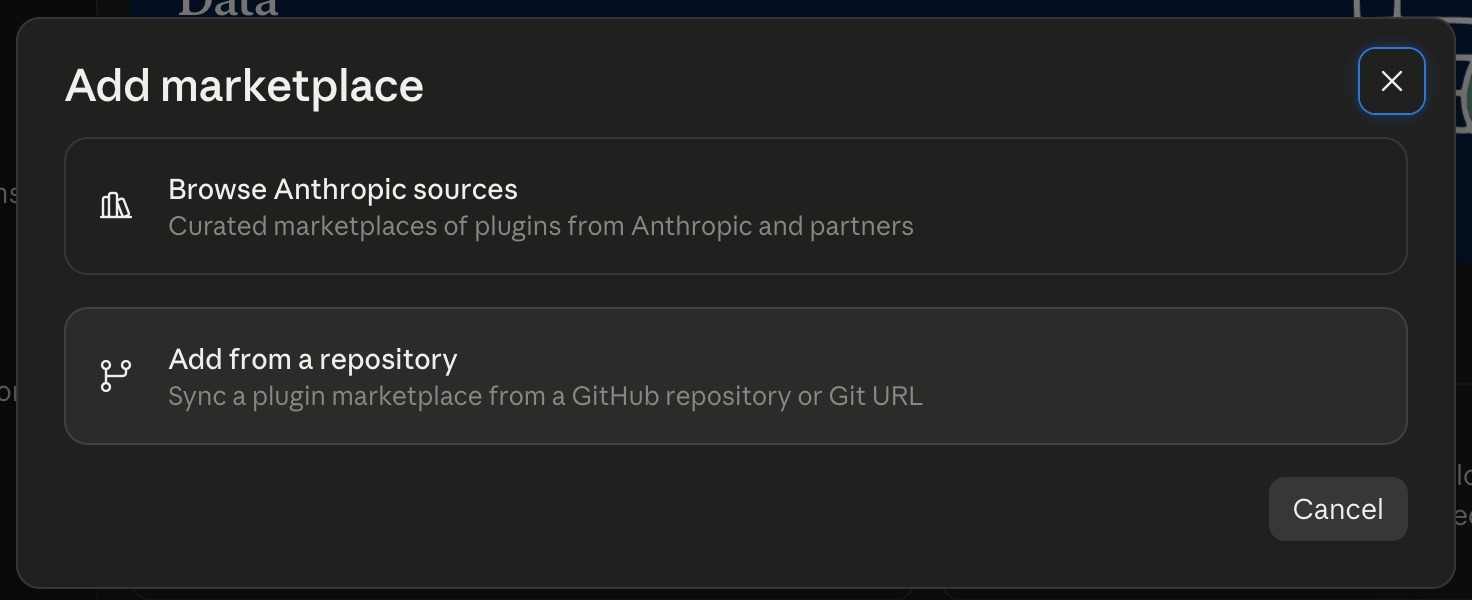
Choose Add from a repository.
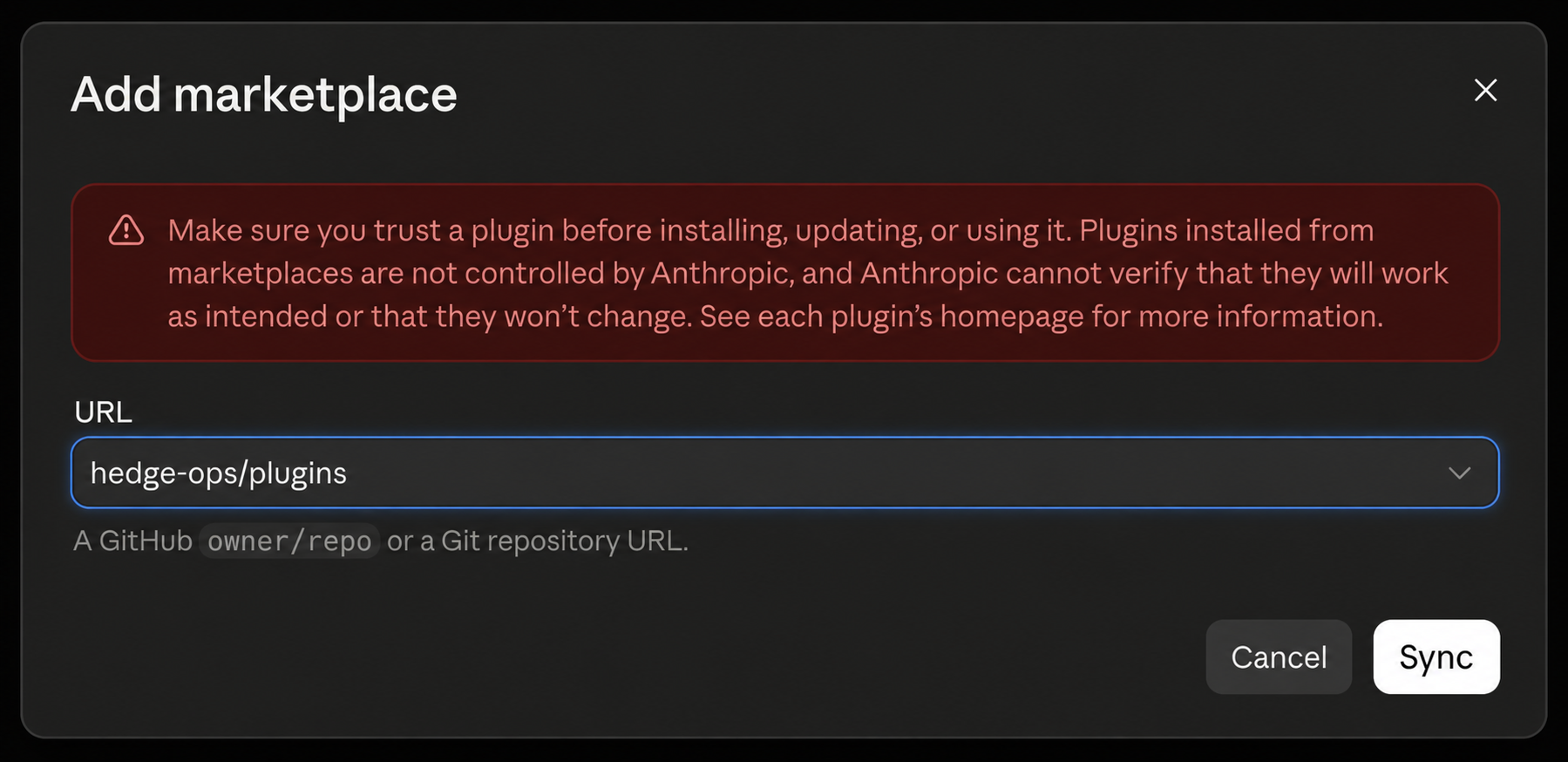
Enter hedge-ops/plugins in the URL field. Then select Sync.
claude plugin marketplace add hedge-ops/plugins3. Install People Work
Find People Work in the marketplace and select Add.

When Claude displays This plugin includes local MCP servers, select Continue to allow the People Work plugin to run locally on your computer.
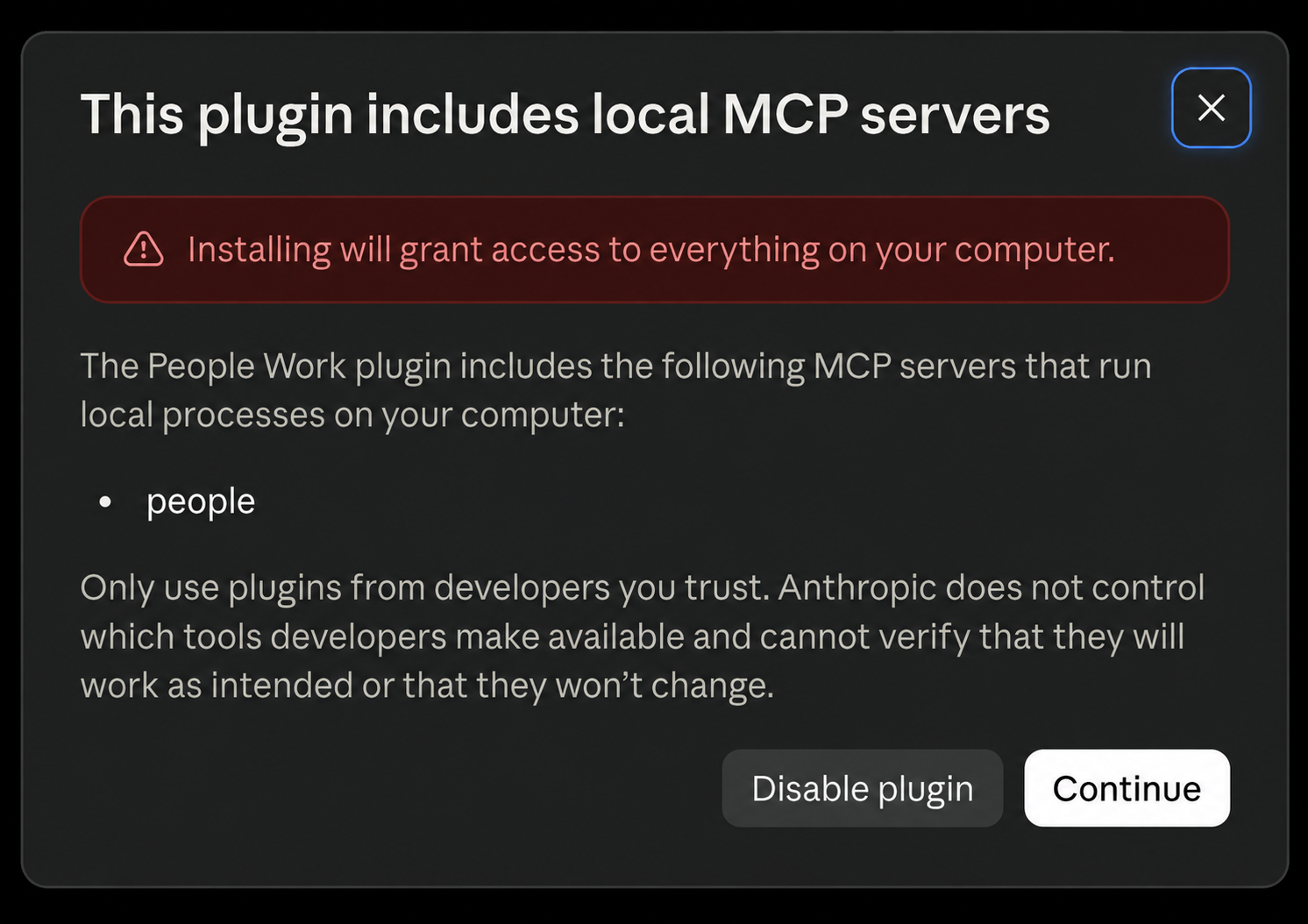
If Claude asks you to reload your plugins, enter /reload-plugins.
claude plugin install people-work@hedge-ops4. Sign in to People Work
If you haven't signed in to the People Work CLI yet, click the terminal icon in the top-right corner of your Claude Code conversation in Claude Desktop. This opens a terminal panel.
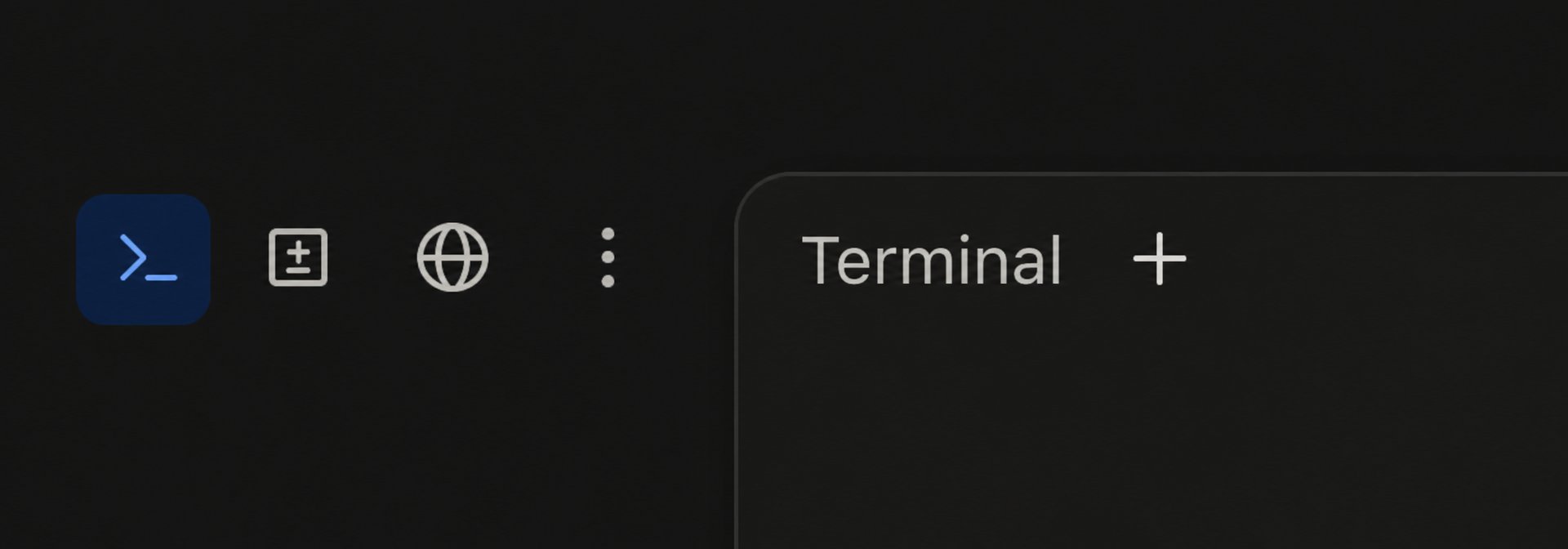
Run:
people auth loginFollow the sign-in prompts in the terminal. Then open the People Work app. When the Approve a device dialog appears for the CLI device you just signed in from, click Approve. Wait for the terminal to confirm that sign-in is complete.
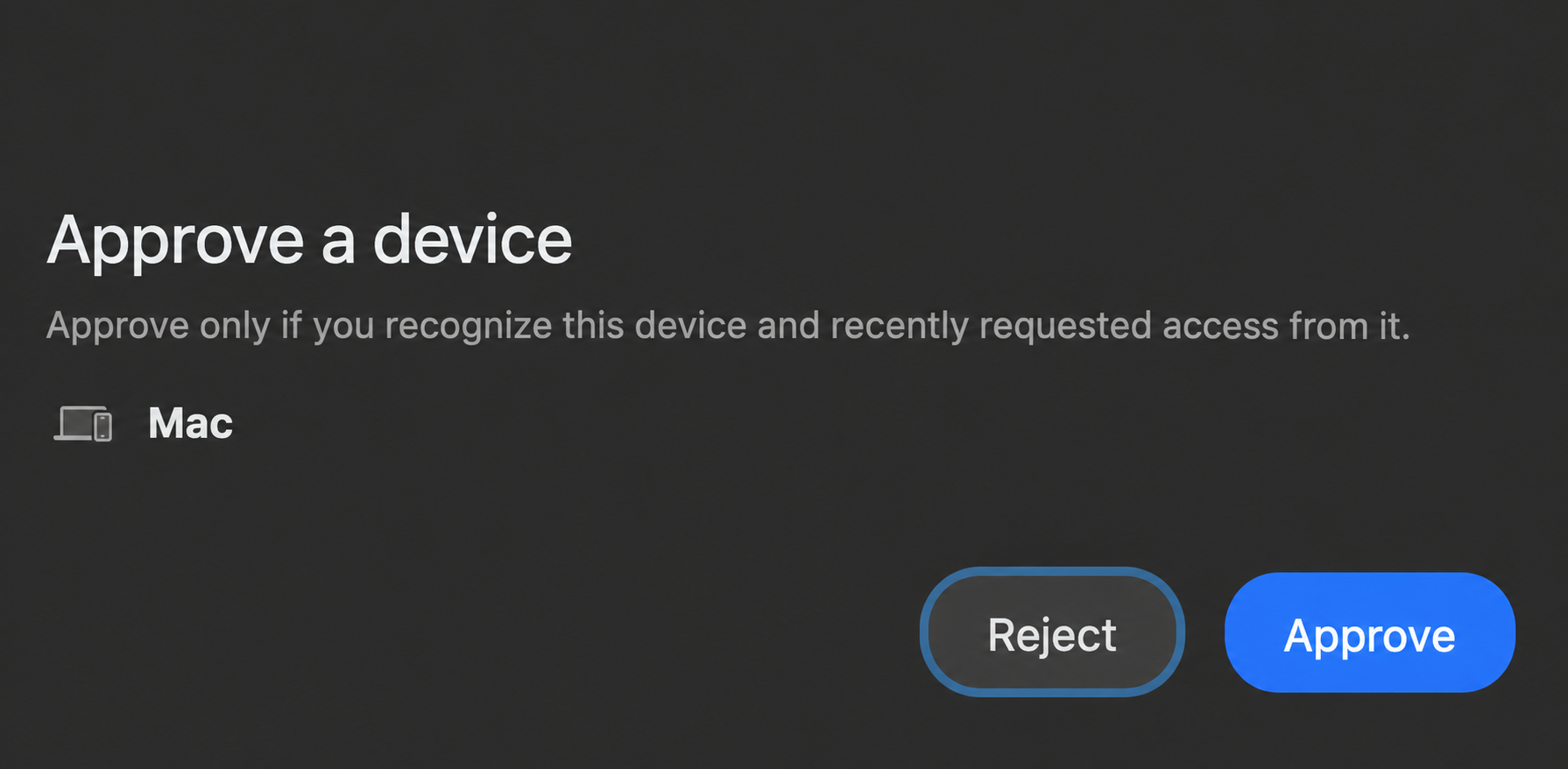
5. Make sure it works
Ask Claude: “Let’s get started with People Work.”
Once People Work responds, your agent is connected and ready to go.
We know that not everyone wants to use ChatGPT or Claude for their AI harness, and we want to leave you with options. Fortunately, People Work is built on common, open platforms, so this should be fairly easy for technical users.
If your agent supports MCP, we recommend that you configure it to run
people mcp over stdio locally. The installation from step 1 puts people on
your PATH.
If your agent doesn't support MCP, it can still use People Work through the
command line. Ask it to run people instructions and then people overview.
From there, it can use the built-in help to find the people commands it needs.
You may need to complete some steps, like signing in with people auth login,
in your own terminal. After that, your agent can do the rest. In fact, this is
how we used People Work ourselves for months before we added MCP and plugins.
You'd like to continue without AI but find yourself on the AI setup screen. We've got you. Don't worry.
We spent the first two years of development of People Work with no AI support at all. While we've come to believe that using an AI agent makes it easier to get started with and use People Work, it's certainly not a requirement. Every function remains available without AI.
You can rest assured that we're never going to shove AI down your throat or distract you from your goals with idiotic features that are designed to make a demo great but ultimately just stand in your way of progress.
Remember, with People Work you are the main character of your journey. We're here for you and will never let AI get in the way of that.